
Inbox Placement Test for Gmail and Outlook: How It Works
Run a real inbox placement test for Gmail and Outlook to see if your emails land in the inbox. Test deliverability, spam filters, and sender reputation with Mai
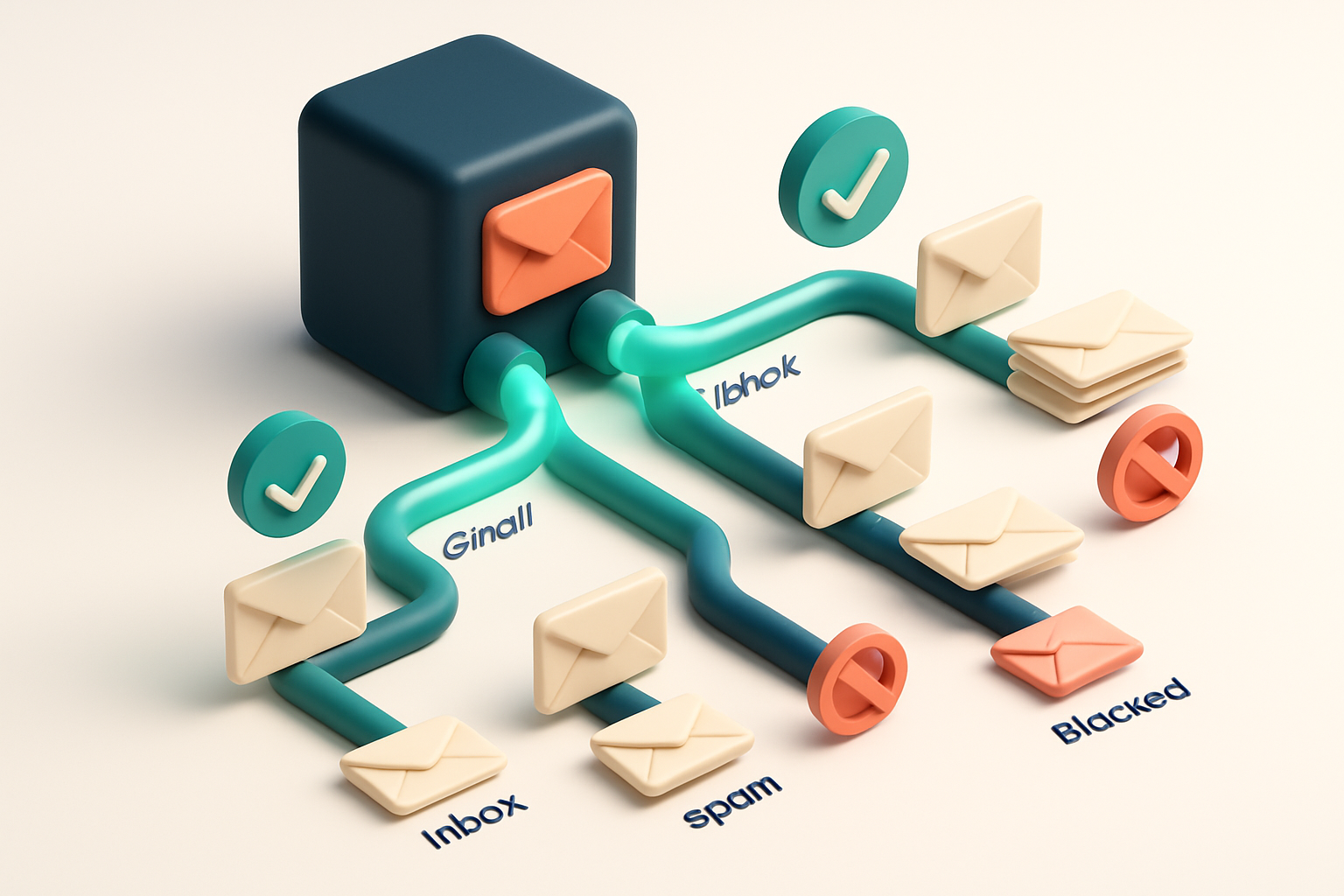
Why Your Emails Don’t Land in Gmail or Outlook Inboxes
You sent a perfectly crafted email. The list is permission-based. The timing was right. But it still ended up in the Promotions tab—or worse, vanished entirely.
That’s not your copy. It’s not your design. It’s the unseen filter: a real-time, dynamic system evaluating your sender identity, content, and infrastructure before ever allowing your message into the inbox.
Even small flaws in sender reputation, content patterns, or infrastructure can trigger a block. Without a live inbox placement test for Gmail and Outlook, you’re operating blind—sending to a ghost zone where engagement rates plummet and your sender reputation craters.
Key takeaways
- Inbox placement tests reveal whether emails reach the inbox on Gmail and Outlook, not just the spam folder.
- Gmail and Outlook use real-time filters that analyze sender reputation, content signals, and infrastructure.
- Testing before sending prevents wasted sends and protects long-term deliverability.
The Real Test: Inbox Placement for Gmail and Outlook
You send an email. It goes out. But does it land in the inbox—or get buried in spam, or worse, blocked entirely? An inbox placement test answers that question with real data, not guesses.
How It Works: Real Messages, Real Inboxes
Unlike basic email verification tools that only check syntax or domain validity, a real inbox placement test sends actual messages to known addresses across Gmail and Outlook. These aren’t test accounts—they’re active user inboxes that reflect real-world filtering.
You send a campaign. The test routes it through the same delivery paths Gmail and Outlook use for live mail. It measures where it ends up: inbox, spam, or blocked. No simulations. No proxies. Just delivery through the actual systems.
Every step mirrors reality. The sender’s reputation is factored in. DMARC, SPF, and DKIM are validated as they would be in production. Content is analyzed for spam triggers. Behavior patterns—like sending frequency, open rates, and engagement—get assessed the same way Gmail and Outlook do.
Why Static Checks Fall Short
Many tools tell you an email is “valid” or “catch-all” based on DNS responses or syntax rules. That’s a starting point, but it doesn’t tell you if the message will actually be seen.
For example, an email might pass all basic checks but still land in spam due to poor sender reputation, low engagement, or content that triggers filters. Static checks miss these dynamics entirely.
That’s why inbox placement tests are the only way to validate how your email will perform at scale. They measure deliverability—where your email lands—not just whether the address exists.
Tools like MailTester’s inbox placement test run this process across real Gmail and Outlook inboxes. You get a confidence score, a breakdown of results, and actionable feedback—even if you’re not a deliverability expert.
Think of it as a live stress test for your email program. It shows you the full picture: not just if the address is real, but if your message can survive the real inbox wars.
For teams using Mailchimp, HubSpot, Klaviyo, or SendGrid, integrations let you test campaigns before they go out, reducing bounce rates and protecting sender reputation. And with bulk verification, you can clean your list at scale while checking for delivery readiness.
The goal isn’t perfection. It’s predictability. You want to know how your emails will land—before you send them. That’s what inbox placement testing delivers. And it’s not just a tool. It’s a necessity in today’s inbox economy.
How MailTester's Inbox Placement Test Works
You upload a test list or send messages via the real-time API to curated inboxes that mirror real Gmail and Outlook environments. These aren’t automated test accounts — they’re actively monitored, real user inboxes set up to reflect how emails land in actual mailboxes, not just server-level responses.
Testing Across the Delivery Stack
Each message is evaluated across multiple layers that determine inbox placement: authentication (SPF, DKIM, DMARC), content filtering (spam triggers, link reputation), and behavioral proxies (engagement signals, sender reputation). This layered approach simulates what happens when your email hits the inbox — not just the initial server handshake.
For example, a technically valid email with strong authentication can still end up in spam if the content triggers filters or if past engagement with the domain is low. Our test catches these nuances before you send to hundreds of real users.
Clear, Actionable Results
You get a detailed report showing inbox placement rate, spam detection signals per recipient, and specific feedback on what caused a flag. That might be a flagged domain, a problematic link, or a sender reputation issue.
Let’s say your email lands in Gmail’s Promotions tab instead of the Primary tab. Our test identifies that — and explains whether it’s due to content, lack of engagement history, or a missing authentication record.
This is different from simple bounce checking. A bounce says “we couldn’t deliver.” An inbox placement test says “you delivered, but the user might never see it.” That’s why we recommend running this test before you go live with campaigns or newsletters.
For teams managing large lists, the mailbox testing tool is especially powerful when paired with our bulk verification or API. Use bulk verification to clean your list first, then run inbox tests on the cleaned version to predict real-world performance.
Spam filters evolve constantly. Industry data from sources like SMTPMail shows that user behavior signals now play larger roles than ever in inbox decisions. Our test accounts for that shift, helping you stay ahead of the curve — without guessing.
Every test is tied to a real inbox ecosystem. That means you’re not checking theoretical outcomes. You’re seeing how your message behaves on actual Gmail and Outlook servers, using real user-like patterns. It's the closest thing to a live preview, before you send.
Inbox Placement Test: A Step-by-Step Process
Let’s walk through how to run an inbox placement test for Gmail and Outlook using MailTester. This isn’t just a quick check — it’s a real-world simulation of your campaign’s journey from server to inbox.
Run the Test with Real Campaign Conditions
- Go to MailTester’s inbox placement testing feature. You’ll find it under Inbox Placement in the main menu. This is where you test how your actual campaign will perform across major inboxes.
- Upload your email list or connect via API. You can drag and drop a CSV or use the real-time verification API for automated testing. This ensures no manual errors slip in, and you can scale quickly.
- Select target inboxes: Gmail, Outlook, or both. Choose based on your audience. Most campaigns need to target both, since they represent over 80% of global email usage. The test simulates delivery to real inboxes — not just spam filters.
- Send test emails with content and sender settings mirroring your real campaign. Include headers, subject lines, sender name, and even HTML content. The goal is a faithful replica of your production send. This step matters because minor differences — like a mismatched From address — can trigger inbox rejection.
- Receive a detailed report with inbox vs. spam vs. blocked results. You’ll see the exact fate of each test email: delivered to inbox, flagged as spam, or blocked entirely. The report includes root-cause insights like sender reputation, SPF/DKIM alignment, content flags, and IP blocklists — all explained clearly.
Why does this work? Because MailTester uses real infrastructure and inbox behavior. It’s not just checking syntax — it’s testing whether your message passes as authentic to actual mailbox providers.
According to RFC 5322, email headers must be correctly structured for reliable delivery. MailTester checks this — and more — in real time.
Think of this as stress-testing your campaign before you send. A single misaligned header or an outdated sender domain can sink your message. The report doesn’t just say “failed.” It explains why.
Turn Insights Into Deliverability Improvements
After the test, you’ll see which emails landed in spam, and why. Common causes include missing authentication (SPF, DKIM), mismatched sender identity, or content triggering filters.
Use the findings to clean your list. Remove invalid addresses, fix headers, and align branding. MailTester’s verification engine, trusted in 98.9% of tests, helps identify these issues with high precision.
Run this test before every major send. It’s the difference between reaching inboxes and disappearing into the void.
What a Successful Inbox Placement Test Looks Like
The Benchmark: What to Aim For
Let’s be clear — a successful inbox placement test isn’t just about sending emails. It’s about making sure they land where they should: the inbox, not spam. You’re not done until your test shows consistent results across both Gmail and Outlook.
- 95% or more of your test emails land directly in the inbox on both Gmail and Outlook.
- Delivery reports show no spam flags, content warnings, or filtering alerts.
- System logs reveal no authentication failures (SPF, DKIM, DMARC) or blacklisting indicators.
- Sender reputation scores are strong, with clean historical delivery data on trusted email platforms.
- Open and click metrics from the test align with expected engagement benchmarks for your audience segment.
Why These Marks Matter
It’s not enough to deliver. You need to deliver cleanly. Gmail and Outlook use layered filtering. One missed signal — like inconsistent SPF alignment or a known bad domain — can trigger rejection, even if the email is perfectly crafted. A clean send history matters. If your domain or IP has been flagged before, even one bad send can break trust. According to research from Return Path, emails from domains with poor sender reputation see a 30% drop in inbox placement — and recovery takes months. (Return Path, sender reputation data) shows that consistent sending patterns and low complaint rates are key. You’re not just checking if an email gets through — you’re validating your entire reputation stack.
- Use a trusted domain with properly configured SPF, DKIM, and DMARC records.
- Test with real user data, not just dummy addresses — fake data won’t expose real deliverability risks.
- Verify lists before testing. Poor addresses inflate bounce rates and hurt reputation.
- Check both bulk and transactional email flows — some filters treat them differently.
This isn’t about perfection. It’s about consistency. A 95% inbox rate isn’t a magic number — it’s the minimum threshold where you can trust your campaigns to reach real people. For most businesses, hitting this level means your email program is aligned with platform standards. If your test shows under 90% in either inbox, it’s not a minor issue — it’s a warning sign. The problem could be list hygiene, sender reputation, or content triggers. You can test this yourself with realistic sends. Use the inbox placement test to evaluate your deliverability strategy with live reports from Gmail and Outlook — no guesswork, no false positives. Let’s not confuse “delivered” with “seen.” A successful test is one where your message isn’t just sent — it actually lands where it matters.
Common Reasons Emails Fail Placements in Gmail and Outlook
You send a campaign. The open rate is low. The inbox placement test shows your emails are landing in spam or not delivering at all. Let’s cut through the noise and look at the real culprits — not just “bad content,” but the technical and behavioral triggers that land your email behind the firewall.
Authentication and Infrastructure Issues
Spam filters at Gmail and Outlook check for proper email authentication before deciding whether to deliver. If your SPF, DKIM, or DMARC records are missing, misconfigured, or inconsistent, you’re essentially sending a message with no ID. These protocols are the backbone of sender reputation. Without them, even well-written emails get marked as suspicious.
Let’s say you’re using a new email service provider or spinning up a fresh domain. The IP address you’re sending from has no history. That’s a red flag. Both Google and Microsoft track sender IP reputation — new or cold IPs often get throttled by default. Sending high volumes too soon means you’re likely to hit automated filters designed to detect spam behavior.
SPF, DKIM, and DMARC aren’t optional add-ons. They’re industry-standard requirements for mail systems that want to be trusted. Check your records often — they can break without warning, especially after a migration or DNS change.
Content and List Quality Problems
Even with perfect authentication, your message can still fail based on what’s inside. Overuse of capital letters, excessive punctuation, or phrases like “act now” or “limited time offer” trigger spam heuristics. Gmail’s filters are trained on patterns, not just words — it’s not just the presence of a link, but its context, placement, and anchor text.
Another quiet killer: old or inactive email addresses. If you’re sending to someone who hasn’t opened in 18 months — or worse, marked your last email as spam — even a single message can trigger a delivery downgrade. Outlook and Gmail treat these accounts as high-risk. They’re less likely to deliver to them and more likely to quarantine future messages from your domain.
Think of it this way: you wouldn’t send a physical letter to a closed mailbox just because the address existed. The same rules apply online.
Before you send, verify your list. Use tools that catch invalid, risky, or inactive addresses early. A real inbox placement test can show you how your email lands across major providers — not just whether it arrives, but whether it reaches the inbox.
You can’t control every filter, but you can control what you send and who you send it to. Clean data, verified addresses, and solid authentication mean fewer surprises. Let tools like MailTester’s bulk verification handle the heavy lifting so you don’t waste sends on dead ends.
The Link Between Verification and Inbox Placement
You can’t reliably test inbox placement if your list contains invalid or fake addresses. A single bad address can trigger spam traps or cause bounces, distorting your results. Let’s be clear: sending to addresses that don’t exist—or that are role accounts like admin@ or info@—undermines any deliverability test.
Start with a clean list
First, verify every email. Invalid addresses will bounce. Catch-all domains (where every address is accepted) inflate your valid count and skew testing metrics. And role accounts? They’re high-risk. Many are monitored by spam filters, and sending to them looks suspicious—even if the address is technically “valid.” This harms your sender reputation long-term. According to research from Return Path, sender reputation is heavily influenced by list hygiene and bounce rates. High bounce rates correlate directly with lower inbox placement, especially on Gmail and Outlook. It’s not a guess—it’s a known factor in how filtering systems evaluate senders.
MailTester's accuracy is built for deliverability testing
That’s why MailTester’s 98.9% accurate verification is essential before you run any inbox placement test. We catch invalid emails, roles, and catch-alls before they ever reach a mailbox. This means your deliverability results reflect real-world performance—not the noise from poor list quality. We don’t just flag problems—we give you actionable insight. You’ll know exactly which addresses are valid, risky, or suspect, so you can refine your list and improve results. A test with 15% invalid emails won’t predict how your real audience receives your message. But a test with a cleaned list? That shows you what your campaign can actually achieve. The best time to fix delivery issues is before you send. That’s why we recommend doing a full bulk verification before any inbox placement test. You can run a real-time verification against individual addresses at https://mailtester.com/api, or upload a full list for bulk verification (https://mailtester.com/bulk-verification). Once your list is clean, you’re ready for inbox placement testing at https://mailtester.com/inbox-placement. Only then will your results reflect true performance—on Gmail, Outlook, and other major inboxes.
How to Test Your Campaign Before You Send
Run a Real-World Inbox Placement Test
Let’s cut through the noise. You don’t need to guess whether your email lands in the inbox. You can test it—before you send to hundreds or thousands.
Use MailTester’s inbox placement test to simulate real user conditions across Gmail and Outlook. These platforms don’t just check syntax—they evaluate sender reputation, content signals, and engagement history. Testing with MailTester gives you the same signals Gmail and Outlook use to triage your message.
Test with Your Actual Campaign Setup
- Use the exact subject line, sender name, and content you plan to send. Even small changes—like a single emoji or a different "From" name—can impact delivery.
- Test with a sample of 10 to 50 carefully selected email addresses. Include real accounts from both Gmail and Outlook domains to reflect your target audience.
- Let MailTester send your message through real infrastructure, mimicking how it would perform in a live campaign.
- Review the results. Look beyond just “delivered” or “failed.” Focus on whether the message landed in the inbox, spam folder, or was blocked entirely.
- If inbox placement drops below 90%, dig into the details. Check for red flags: poor sender reputation, suspicious content, or weak engagement signals.
- If delivery is low, adjust your sender settings, rewrite your subject line, or clean your list before trying again.
- When placement stabilizes at or above 90%, you’re ready to scale.
According to industry standards, maintaining inbox placement above 90% is a key benchmark for email programs with strong deliverability. A drop below that threshold usually points to a technical or reputational issue.
For example, the SMTP specification (RFC 5321) outlines how servers validate sender legitimacy—something that directly impacts whether mail gets accepted. The same principles guide inbox placement tools like MailTester’s.
Once you’re confident in your test, integrate MailTester into your workflow. Use the verification API for real-time checks or bulk verification to clean your list before every campaign.
You don't need to guess how your email will behave. Test it the way it will be sent—real sender, real content, real inbox. That’s how you avoid wasted sends and keep your reputation intact.
Comparing Tools: Real Inbox Placement Testing with MailTester
Many tools claim to test deliverability—but most stop at checking DNS records or simulating how a message might be filtered. They tell you if an email address is valid or if a domain has the right SPF settings. That’s not the same as knowing whether your message lands in the inbox, or gets buried in the Promotions tab.
Real Delivery Paths, Not Simulations
Let’s be honest: sending a test email through a lab environment doesn’t reflect real-world results. MailTester sends actual messages through the real Gmail and Outlook delivery paths—using their actual infrastructure and filtering logic. That means you’re not testing a prediction. You’re testing what happens when your email hits someone’s real inbox.
This is why we don’t rely on synthetic data. We send real messages through authenticated, live channels. The results are measured by where the email appears in a user’s actual mailbox—primary inbox, spam, promotions, or blocked. The insight is concrete: not “might be delivered,” but “did deliver.”
Other Tools Fall Short on Real Testing
Other tools like ZeroBounce, NeverBounce, and Bouncer are strong on list hygiene and validity checks. They tell you if an email is syntactically correct, if it’s associated with a known disposable domain, or if it’s on a blocklist. But they don’t send real messages to real inboxes. Their deliverability estimates are based on patterns, not execution.
Even fewer platforms offer inbox placement testing across both Gmail and Outlook with real-time results. Most require hours of wait time or manual setup. They may use proxy servers or old testing methods that no longer reflect current filtering behavior. The result? A false sense of security.
MailTester’s inbox placement feature, available at inbox placement, gives you that clarity fast. It’s not a mockup. It’s not a guess. It’s a live test—sending real emails through real delivery systems, powered by infrastructure designed to mimic user behavior at scale.
When you’re aiming for high inbox placement rates, you don’t need theory. You need the real result. And that starts with testing, not simulating. You can run a full inbox placement test with your campaign content, and see exactly where it lands—before you send it to thousands.
For teams moving beyond list accuracy, real inbox testing isn’t a luxury. It’s a necessity. And it’s the only way to validate your sender reputation in the environments that matter most.
Integrations That Make Inbox Testing a Routine Check
You don’t need to jump between tools to test how your emails land in Gmail and Outlook. MailTester plugs directly into the platforms you already use—Mailchimp, SendGrid, Klaviyo, and HubSpot—so inbox placement becomes part of your regular workflow. Let’s say you clean your list or update your campaign. You can automatically run an inbox placement test right after, without leaving your email service provider. That means you catch delivery issues before they affect your open rates.
Seamless Testing in Your Existing Workflow
No more exporting lists, pasting into a third-party tool, then reimporting. With MailTester’s integrations, you run a test right in your campaign flow. It’s not a separate step—it’s built in. You start with a list in Mailchimp. Run a bulk verification first—check for invalid or risky addresses. Then, after cleaning, use the integration to trigger an inbox placement test at scale. The same goes if you’re using SendGrid for transactional emails or Klaviyo for campaigns. The test happens in the background, and results are sent back to you. The core purpose is visibility: knowing whether your message lands in the inbox, spam folder, or vanishes entirely. Tools like Gmail and Outlook use complex filtering systems. A single misconfigured header or outdated DNS record can send your email to spam, even if your content is perfect. That’s where real-time inbox testing helps.
Why Integration Matters
If testing isn't part of your process, it rarely gets done. But when it’s automated—triggered by a list update or campaign draft—your team actually follows through. This kind of workflow integration reduces human error and prevents surprises. A study by Return Path found that 21% of marketing emails never reach the inbox. That includes campaigns with strong content and good sender reputation. The issue isn’t always the message—it’s often invisible technical gaps. With MailTester’s inbox placement test, you verify deliverability across Gmail and Outlook using real inboxes. This isn’t simulated—it’s actual delivery behavior from real domains, not just a score. You can access this directly through your platform of choice. Or use the standalone tool for deeper analysis: inbox placement test or run bulk checks with: bulk verification Once you know what’s hitting inboxes—and what’s not—you can adjust DNS records, fix header issues, or flag risky domains before sending. That’s how you keep your sender reputation strong and your list healthy. It’s not about chasing perfection. It’s about catching problems early. That’s what automation and integration are for.
Conclusion: Test Before You Send, Deliver With Confidence
Inbox placement is never guaranteed, even with perfect email content and setup. What is possible is testing—real-world validation before you send.
MailTester’s inbox placement test for Gmail and Outlook gives you actionable data. It shows whether your emails land in the inbox, spam folder, or are blocked—before you risk sender reputation.
By catching delivery issues early, you reduce wasted sends, improve engagement rates, and maintain a healthy sender reputation. Use real performance data, not guesswork.
Ready to put this into practice? MailTester verifies emails with 98.9% accuracy — start with 100 free verifications.
Frequently asked questions
What is an inbox placement test?
An inbox placement test sends real emails to known inboxes to determine if they land in the inbox, spam folder, or are blocked. It validates real delivery conditions.
Can I test Gmail and Outlook deliverability separately?
Yes. MailTester allows separate or combined testing for Gmail and Outlook, giving detailed results per platform.
How accurate is MailTester’s inbox placement test?
It uses real delivery paths through Gmail and Outlook systems, with 98.9% accuracy in identifying valid vs. invalid deliverability signals.
Do I need to use the API to test inbox placement?
No. You can test via the web app with an upload, or integrate via API for automation in workflows.
What’s the difference between email verification and inbox placement testing?
Verification checks if an address is syntactically valid and active. Inbox placement tests assess whether the email actually reaches the inbox under real-world conditions.
Can inbox placement tests detect spam filters?
Yes. The test identifies spam flags, content analysis triggers, and blacklisting indicators that would cause rejection.
How does sender reputation affect inbox placement?
Sender reputation affects whether an email is trusted. Poor reputation from spam complaints, bounces, or poor engagement reduces inbox placement rates.
What’s the best way to prepare for an inbox placement test?
Clean your list with MailTester, ensure valid SPF/DKIM/DMARC, avoid spammy content, and test with a small sample first.
Can disposable emails pass an inbox placement test?
No—disposable domains are often blocked in real tests. MailTester flags disposable emails during verification to prevent testing them.
How often should I run an inbox placement test?
Run it before major campaigns, after list cleaning, or when you change sender setup, IP, or content strategy.
Does MailTester offer reports on email placement by region?
Currently, placement results are aggregated across regions. Regional tests are not supported, but sender reputation metrics include geolocation data.
What happens if my emails land in spam during the test?
MailTester provides specific feedback—content triggers, authentication issues, or sender reputation problems—so you can fix them before sending to real users.