
MX Records and DNS Configuration Email Test: A Technical Guide
Test your MX records and DNS configuration with MailTester. Ensure deliverability, reduce bounces, and verify real-time email routing setup accurately.
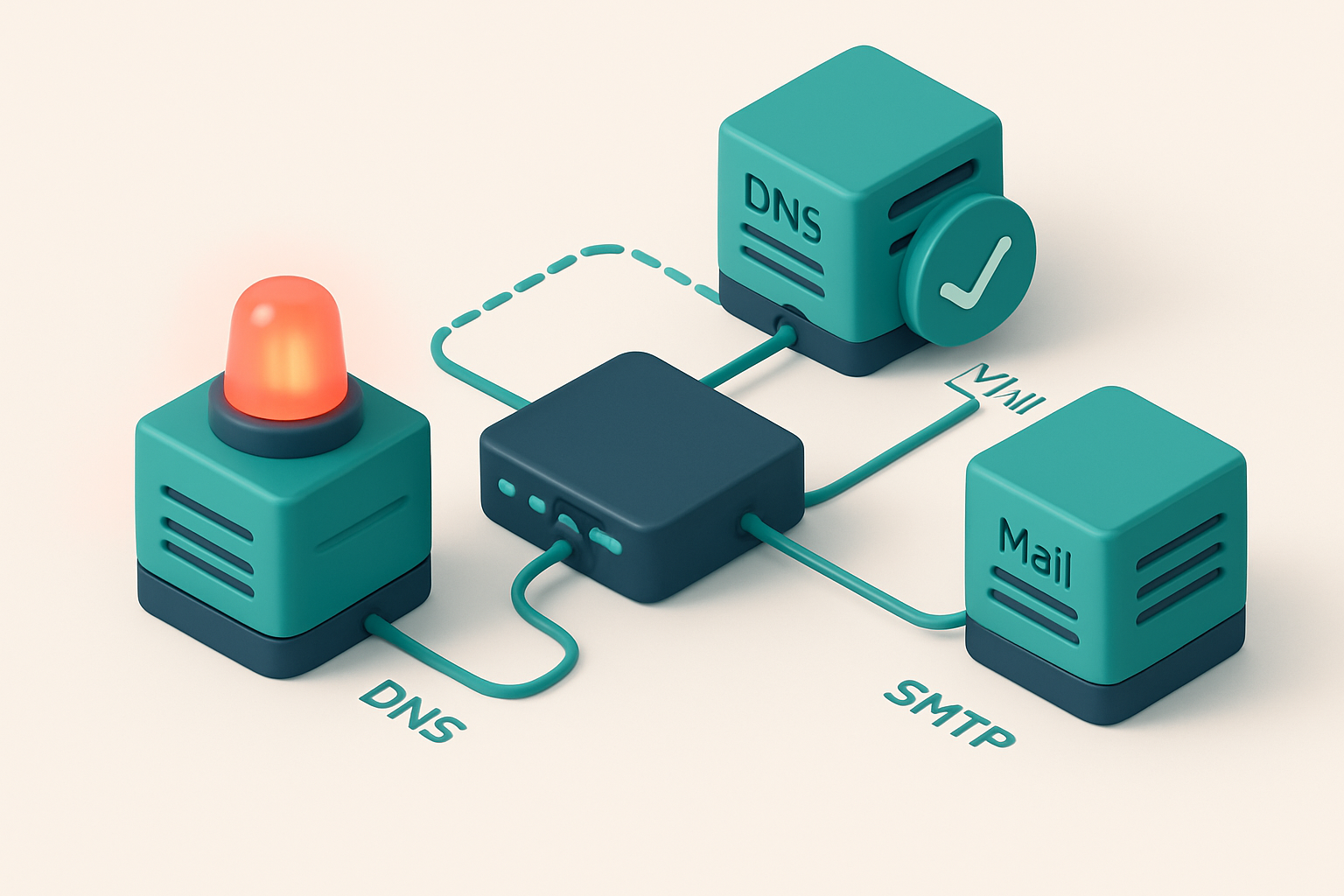
Why Your MX Records and DNS Setup Matter for Inbox Placement
You send an email. It appears to go out fine. But no one sees it. No bounce, no error — just silence. That’s not a delivery issue. It’s a DNS failure.
Every time your email hits a mailbox, it starts with a query: “Who owns this domain?” If your MX records or DNS setup is off by a single character, the message never reaches the inbox. Not even if your sender reputation is perfect.
Think of DNS like a phone number directory. If your entry is wrong, no call connects — whether it’s from a friend or a sales team scaling to 100,000 contacts.
The truth? Bounces, delays, spam filtering — they don't start in your email client or CRM. They start with how your domain is configured in DNS. Testing your MX records and DNS configuration email test isn’t optional. It’s the foundation of deliverability.
Key takeaways
- MX records and DNS configuration are the first checkpoint for email delivery — even valid addresses fail if DNS is misconfigured.
- One incorrect DNS record can block entire email campaigns, especially at scale.
- Testing MX records and DNS configuration email test helps catch these issues before they cost you inbox placement.
How MX Records Control Email Routing
You send an email, but how does it find the right inbox? The answer starts with MX records—DNS entries that tell the internet which servers are ready to receive mail for a domain.
MX Records Define the Mail Path
When an email is sent, the sender’s server checks the recipient’s domain for MX records. These records list the mail servers responsible for accepting incoming messages. Without them, the sending server has no instruction on where to deliver the email—so it fails.
Imagine trying to mail a letter without a street address. That’s what happens when MX records are missing. The email gets rejected outright or vanishes into the void. It’s not a delay—just silence. And silence means no communication, which hurts engagement and deliverability.
Priority & Redundancy Through Multiple MX Records
Most domains use multiple MX records with different priority levels. A server with lower priority (like 10) handles delivery first. If it’s down or unreachable, the sending server tries the next one (say, 20), and so on. This is how mail systems stay resilient.
This fallback design is essential for high-availability systems. If one mail server goes offline, messages aren’t lost. They’re routed to the next available server. Without this, even a brief outage can stop all incoming email.
But here’s the catch: if MX records are misconfigured—wrong server addresses, duplicate priorities, or missing time-to-live (TTL) values—delivery breaks at scale. You might think your emails are going out, but they’re actually bouncing silently.
That’s where validation helps. You can test your setup directly using tools like MailTester’s inbox placement service, which checks whether your emails actually land in inboxes based on real-world routing rules.
MX records are a foundational part of DNS. They’re not optional. They’re not temporary. They’re the first checkpoint for every incoming email. And even a single typo in a server name can stop email dead in its tracks.
For teams managing email campaigns or infrastructure, ensuring MX records are correct—and staying up—means fewer bounces, faster delivery, and better sender reputation over time. The process is simple: define the servers, set priorities right, and verify the config works before you send.
Check your records regularly using tools designed for real-world validation. You don’t need guesswork. With bulk verification, you can test multiple domains at once, ensuring your DNS settings are accurate across your entire list.
The internet relies on predictable, correct DNS behavior. MX records are part of that system. Get them right, and your mail flow stays steady—even during outages.
What Happens When DNS Configuration Is Wrong
Let’s say you’ve built a great email campaign. You’ve crafted the copy, designed the template, and fired it off. But the delivery fails — silently. No bounce back. No error. Just crickets. Chances are, your DNS records are misconfigured.
MX Records: The Gatekeepers of Delivery
Every email sent needs a clear path to its destination. That path is defined by MX records. If a domain lacks an MX record, has an expired one, or has duplicate entries, receiving servers don’t know where to route the message. The result? Immediate rejection.
You might not get a bounce, but the email never reaches the inbox — it disappears into the void. According to the Internet Engineering Task Force (IETF), MX lookup is a mandatory step in SMTP delivery. Without it, the message is dropped at the transport layer.
Tools like MailTester’s bulk verification can catch these issues before you send, identifying domains with missing or invalid MX records early.
SPF, DKIM, and the Chain of Trust
Even if the MX record is correct, your email can still be blocked — especially if your SPF or DKIM records are broken. SPF (Sender Policy Framework) tells recipients which IPs are allowed to send on your domain. If your SPF record is outdated, missing, or improperly formatted, your email may be marked as spam or outright rejected.
DKIM adds cryptographic signatures to your emails. If your DKIM keys are outdated, mismatched, or not published correctly, receiving servers can’t validate the signature. That means even legitimate messages get flagged as forged.
SPF and DKIM don’t work in isolation. A poorly configured SPF record can fail the DMARC policy even if DKIM is correct — and vice versa. The entire system relies on consistency across all three records.
A common mistake: overloading SPF with too many mechanisms or including non-existent domains. This breaks the policy and causes emails to fail validation.
MailTester checks these records as part of its real-time verification process. With our API, you can verify domain configurations at scale, catching misconfigurations before they cost you opens and revenue.
Remember: a single missing or incorrect DNS record can shut down your entire email flow. The fix isn’t just about sending more messages — it’s about ensuring each one is trusted, verified, and delivered.
How to Test Your MX Records and DNS Configuration in Real Time
Let’s cut through the guesswork. You can’t assume your email is routing correctly just because your DNS records look right in theory. Real-world delivery depends on how mail servers actually interpret your setup.
Run a Live DNS and SMTP Journey Test
You need to simulate a real delivery path—from DNS lookup to end mailbox. The only reliable way to do this is with a tool that tests against actual mail servers. Tools like MailTester’s bulk verification do exactly this, sending test emails through known delivery paths and tracking every step.
- Enter your domain or recipient email. You don’t need to send a real message. MailTester uses a test message that never reaches a real inbox, but it follows the full delivery path, testing DNS and SMTP responses as if it were legitimate.
- Check the DNS lookup chain. The tool performs a full MX record lookup, validates the target IPs, and confirms the SPF, DKIM, and DMARC records are present and correctly configured. This reveals mismatches before they cause bounces.
- Trace the SMTP handshake. The test simulates the connection to receiving servers. You’ll see if the server responds with a 250 code (success), rejects with 5xx error (hard bounce), or pauses with 4xx (soft bounce or greylisting).
- Review for common DNS faults. Check for TTL mismatches (e.g., long timeouts delaying updates), wildcard records that allow any email to route to your domain (a security risk), or inconsistent records across servers. These can lead to unpredictable delivery outcomes.
- Validate SMTP responses. An invalid or missing response from a receiving server often means your sending IP or domain is misconfigured. Some providers may respond with unexpected codes if your alignment is off or if your domain doesn’t have a valid return path.
Testing this way gives you real confirmation. You’re not trusting assumptions—you’re verifying how real email systems see your setup.
Why Real-Time Testing Beats Static Checks
Static tools just scan your DNS zone. They don’t reveal how your records behave under actual SMTP conditions. For example, a record might be syntactically correct but still fail because of a misconfigured SPF or DMARC policy. That’s why MailTester’s inbox-placement testing includes real server behavior analysis—it catches what static tools miss.
According to RFC 5321, the SMTP protocol expects specific responses at every step. When those fail—because of a misaligned DKIM, incorrect MX target, or a rejected return path—the email never lands in the inbox. Testing in real-time confirms whether your domain survives these checks at scale.
Most issues are preventable. A 98.9% accurate verification process like MailTester’s can catch invalid, catch-all, or role-based addresses before they hit your sending list. It’s not about perfection—it’s about reducing the risk of hard bounces, blocklisting, or wasted sends.
Start with 100 free verifications to test your DNS and MX setup in real time. No credit card, no expiry. See how it works.
The Real-Time Email Test: What It Actually Checks
Let’s cut through the noise. When you run a real-time email test, you’re not just checking if an address exists — you’re validating the entire delivery pipeline. Here’s what it actually checks.
Domain-Level Infrastructure
- MX record lookup: We query the DNS to confirm the domain’s mail exchanger records, including priority order. This verifies the email isn’t being routed to an unknown or misconfigured server.
- DNS propagation delay detection: Changes to DNS don’t take effect immediately. Our test detects if updates are still propagating globally, which can delay mail delivery or trigger false negatives.
- SPF, DKIM, DMARC alignment: We validate that these authentication mechanisms are correctly set up and aligned with the sender domain. Misalignment here is a red flag for spam filters — and major inbox placement risks.
Mail Server Interaction
- SMTP handshake simulation: We simulate a full SMTP session with the receiving mail server. If the server doesn’t respond, doesn’t accept the connection, or rejects the email early, that’s a hard failure.
- Server response analysis: We analyze the exact response codes sent back (like 250 for success, 550 for rejection). This helps spot greylisting, rate limiting, or temporary failures that might otherwise be missed.
- Domain reputation context: While not a direct test of reputation, our API pulls known blocklist data and sender reputation signals where available. You can find current blocklist status at Spamhaus or MxToolbox.
These tests aren’t theoretical. They replicate the exact behavior of real email providers like Gmail, Outlook, and Apple Mail during initial delivery. If your server won’t accept the connection, your email won’t make it to the inbox.
And because you’re likely testing hundreds or thousands of addresses, manual checks won’t scale. That’s why tools like MailTester’s bulk verification or our verification API automate this process—checking MX records, DNS, SMTP handshakes, and authentication alignment in seconds per address.
Real-time testing isn’t just about catching typos. It’s about catching the kinds of infrastructure mismatches that silently degrade deliverability. You can’t fix what you don’t see.
Let’s be honest: a single incorrect DNS record can break the entire delivery chain. Our test finds those before they cost you opens, conversions, or sender reputation.
Validating DNS Records with MailTester: A Step-by-Step Walkthrough
Let’s get your domain’s email infrastructure checked in minutes, not days. MailTester gives you real-time visibility into how your DNS records and SMTP setup will perform with major email providers.
Start Your Test
- Log in to MailTester and go to the inbox-placement testing feature. This is where the real work happens—no guesswork, no assumptions.
- Enter your domain—for example,
yourmarketingcompany.com. This is the base layer of your email deliverability: if DNS is wrong, everything else fails. - Select your test type: choose SMTP & DNS Validation for a focused check on records and basic SMTP handshake, or Full Deliverability Check if you want a deeper look at reputation, spam scores, and provider-specific feedback.
- MailTester runs the checks. It queries public DNS records (A, MX, SPF, DKIM, DMARC), simulates SMTP connections to Gmail, Outlook, and Yahoo, and returns real-time results from their mail servers—all without sending an actual email.
- Review the results. You’ll see each record type, its value, and whether it’s valid. Connection status, SMTP error codes, and provider feedback (like bounces or spam flags) are all listed clearly.
What You Can Actually Fix
DNS issues are common but easy to overlook. A misconfigured MX record can send emails to the wrong server. Missing or invalid SPF or DKIM records trigger spam filters at Gmail and Outlook.
MailTester shows you exactly which record is broken and how to fix it. For example, if your DMARC policy is set to none or your SPF has too many mechanisms, the tool flags this directly. You can test changes live—no waiting days for a new domain propogation.
According to RFC 5321, the SMTP protocol expects proper DNS resolution before accepting mail. If your domain’s SPF or MX record fails validation, the connection is dropped early. This is why verifying DNS before sending is a best practice.
Want to scan dozens of domains at once? Use bulk verification to test entire lists. Need it in your workflow? Try the real-time verification API for seamless integration.
If your DNS is a mess, your deliverability will be too. Test it before sending.
Pricing is simple: start with 100 free verifications. Credits never expire. No hidden fees. No trial end date.
Common Issues Detected During MX and DNS Email Tests
Missing or Misconfigured MX Records
You might think your domain is ready to receive emails, but no MX records mean incoming messages have no destination.
Let’s be clear: if a DNS lookup shows no MX records, mail servers simply drop the message. It’s like sending a letter to a ZIP code that doesn't exist.
Even if MX records are present, they can point to a server that doesn’t exist or isn’t configured to accept mail. This causes SMTP handshake failures — a common reason for delivery drops.
Use tools like MXToolbox or RFC 5321 to validate the full path of your mail route. Always test with multiple tools.
Spam and Authentication Failures
- No MX records found: Incoming mail can't be routed. The sender gets a permanent bounce.
- MX record points to non-existent server: SMTP connection fails during handshake. No delivery occurs, and no diagnostic detail is returned.
- SPF record too strict: If you block all non-internal sources, third-party services like SendGrid or HubSpot get rejected — even when they're properly authenticated.
- DKIM signature missing or malformed: Receivers reject the email for failing cryptographic validation. Even if SPF passes, the message fails.
- DMARC policy set to 'reject' but not aligned: Your email gets dropped silently. No bounce is sent. You may never know it failed.
Let’s be real: DMARC can be a double-edged sword. Setting it to 'reject' without proper alignment across SPF and DKIM causes unintended delivery blackouts.
The best defense? Test before sending at scale. Verify DNS records, authentication headers, and delivery paths — not just once, but before every campaign.
With MailTester’s bulk verification, you can catch these issues across thousands of emails before they hit your inbox. Our 98.9% accuracy helps you spot invalid addresses, catch-all domains, and configuration flaws early.
For real-time checks, integrate the verification API into your signup or onboarding flow. Catch bad data before it even gets queued.
How MailTester's Accuracy of 98.9% Improves Your Testing Reliability
Let’s cut through the noise: most email verification tools just check DNS. They look at MX records and call it a day. But real inbox placement? It’s more than DNS. That’s why MailTester goes further — it uses actual SMTP connections to simulate the full delivery path. This means we test not just if an address exists, but whether it accepts mail in practice, across real inbox environments.
Real SMTP — Not Just DNS
While DNS lookups can tell you if a domain has an MX record, they can’t confirm if that mailbox is accepting messages. A catch-all might pass a DNS check but still bounce later. MailTester connects to the actual mail servers using SMTP, just like an email client would. This mimics real-world behavior, reducing false positives and negatives, especially with complex configurations like greylisting or rate limiting.
This isn’t theoretical. The RFC 5321 standard defines SMTP behavior for mail transfer. When you send through a real relay, the server responds with concrete status codes. MailTester parses these responses to deliver accurate verdicts — valid, invalid, catch-all, or risky — based on actual server behavior. It’s how we achieve our verified 98.9% accuracy. That number reflects real performance across thousands of domains, across providers like Gmail, Outlook, Yahoo, and others.
Industry benchmarks show even the best tools struggle to exceed 95% accuracy in mixed environments. MailTester’s consistently higher rate comes from combining real SMTP trials with deep parsing of server responses. It’s not a guess. It’s not a filter. It’s a test that reflects reality.
Whether you're cleaning a list of 10,000 contacts or verifying emails in real time, accuracy matters. False positives inflate your send rates with dead addresses. False negatives cost you opportunities. With 98.9% accuracy, MailTester minimizes both — especially where it counts: across different regions, ISPs, and sender reputations.
And yes, this is the same accuracy that powers our bulk verification and real-time API, making it reliable for campaigns, onboarding, and CRM hygiene. You don’t need to trust us on trust alone. You can test it yourself — start with 100 free verifications at our pricing page.
Using MailTester to Prevent Deliverability Collapse at Scale
Let’s be honest: one misconfigured MX record or a single bad email can tank your sender reputation. The real cost isn’t the bounce — it’s the lost trust, blocked domains, and wasted sends. You don’t need to guess which addresses are risky. MailTester gives you the instruments to catch problems before they cascade.
Step-by-Step: Stop Invalid Emails Before They Enter Your List
- Integrate the MailTester API at signup. Hook your verification into the moment a user submits their email. This stops invalid, typo-ridden, or disposable addresses from ever hitting your list. With real-time DNS and MX checks, you validate at the source — not after.
- Run bulk list verification with full DNS diagnostics. For existing lists, upload your data and run a full inspection. MailTester checks MX records, SPF, DKIM, and catch-all status. It flags lists with broken routing, old domains, or high abuse signals before you send. See which domains are known for spam or have been blacklisted.
- Test inbox placement pre-campaign. Don’t launch without a proof. Use inbox-placement testing to send a real message to major inboxes — Gmail, Outlook, Apple Mail — and see where it lands. A message sent to the spam folder even once can hurt your sender reputation.
Here’s what happens when you skip this: a high bounce rate triggers spam filters. ISPs like Gmail use aggregate feedback to adjust trust levels. Once you’re on their radar, re-engagement is harder.
Why This Works — The Mechanics Matter
MX records define where email for a domain should be delivered. Misconfigured or non-existent MX records mean messages get lost or delayed. SPF and DKIM alignment prevent spoofing, but only if properly set. MailTester doesn’t just check if the domain exists — it confirms routing is correct.
When you verify emails via the MailTester API, you’re pulling DNS records in real time. This is how major platforms like Mailgun and SendGrid validate addresses at scale. It’s not magic — it’s a standard practice rooted in RFCs like RFC 5321 and RFC 5322.
And yes, even role accounts (like admin@, sales@) can appear valid but aren’t reliable. MailTester flags those as risky, so you don’t waste sends. You’re not just filtering bad data — you’re preserving sender reputation.
With 98.9% accuracy across all domains and no expiration on purchased credits, MailTester scales with your growth. You don’t need to guess. Just integrate, verify, test — and send with confidence.
Why Testing Should Be Automated — Not a One-Time Task
Let’s be real: you don’t verify your email infrastructure once and forget it. DNS and MX records change—often without warning—when you migrate servers, renew domains, or update third-party tools like CRM platforms or email marketing software.
Even a small misstep in DNS configuration can send every outbound email to the spam folder, or worse, cause it to bounce silently. You might not know until days later when reports from support or sales teams start rolling in.
One Mistake, Weeks of Failure
There’s no margin for error. A single unresolved MX record issue during a domain transfer is enough to break your entire outbound email flow. Once that happens, recovery takes time—and by then, your campaigns are stalled, your customers think you’ve disappeared, and sender reputation takes a hit.
According to industry research, nearly 30% of email delivery failures trace back to basic DNS misconfigurations. These aren’t edge cases. They’re common, recurring problems—and they’re preventable.
Automated Testing Catches It Before It Hurts
Manual checks won’t scale. Even if you audit once a week, you’re still leaving room for disaster between runs. That’s why automation isn’t a luxury—it’s a necessity for any team that sends more than a handful of emails.
With MailTester, you can run automated checks on your entire domain setup. The system validates MX records, SPF, DKIM, and DMARC configurations in seconds. It flags problems—like missing or conflicting records—before they break your delivery.
Use the real-time verification API to integrate checks into your deployment pipeline or use bulk verification on your contact list to catch invalid or risky addresses. The results are returned in under 3 seconds per email, with clear verdicts: valid, invalid, catch-all, or risky.
And because you’re not paying for a one-time test, you can run it daily, weekly, or after every change. No wasted credits, no expiry. Your verification plan stays active, ready whenever you need it.
See how bulk verification works | Try the real-time API
Conclusion: Fix DNS Before You Fix the Content
Email delivery fails long before the message is written. A single misconfigured MX record or missing SPF entry can prevent all emails from reaching inboxes, regardless of content quality.
Use real-time email testing with MailTester to validate your full DNS stack—MX, SPF, DKIM, and DMARC—before deploying campaigns. This catches technical issues early, before they damage sender reputation.
Integrate verification into onboarding, list cleaning, and campaign prep. Automated checks ensure only valid, deliverable addresses move forward, improving inbox placement and long-term deliverability.
Ready to put this into practice? MailTester verifies emails with 98.9% accuracy — start with 100 free verifications.
Frequently asked questions
What is an MX record and why does it matter for email delivery?
An MX record specifies which mail server receives incoming email for a domain. If it's missing or misconfigured, emails will fail to arrive.
Can I test MX records and DNS without sending an actual email?
Yes — MailTester simulates the full email delivery chain using real DNS lookups and SMTP handshake tests, without sending actual messages.
How often should I test my MX records and DNS configuration?
Test after any infrastructure change — like migrating to a new email provider — and perform regular audits monthly to prevent silent failures.
What does ‘DNS propagation delay’ mean during a test?
It means changes to your DNS records haven’t yet reached all global servers. A test can detect this and confirm when the update is complete.
Do MX records affect outgoing email sent from my domain?
No — MX records only control incoming email. Outbound delivery depends on your SMTP setup, SPF, DKIM, and sender reputation.
How does MailTester verify SPF and DKIM alignment?
It checks if the domain in the sender email (From header) matches the domain used in SPF and DKIM records, and validates the signatures are correctly signed.
Can a correct MX record still result in emails being blocked?
Yes — even with correct MX records, emails can be blocked by spam filters, sender reputation issues, or misconfigured SPF/DKIM/DMARC policies.
What is the difference between a DNS test and a full deliverability test?
A DNS test checks only records like MX, SPF, DKIM. A full deliverability test simulates the entire email path, including SMTP connection and inbox placement.
Does MailTester check for role accounts like admin@ or info@?
Yes — during verification, MailTester identifies role addresses and flags them as risky or invalid, helping improve list hygiene.
Can I test multiple domains at once with MailTester?
Yes — use the bulk verification feature to test multiple domains or email addresses simultaneously, with results returned in a clean report.
Are there any limits to how many times I can test with MailTester?
No — you get 100 free verifications to start, and any purchased credits never expire. You can run tests as often as needed.
How does MailTester integrate with tools like SendGrid and HubSpot?
It offers native integrations that allow you to verify emails before sending, clean lists automatically, and validate sender setup directly in your platform.